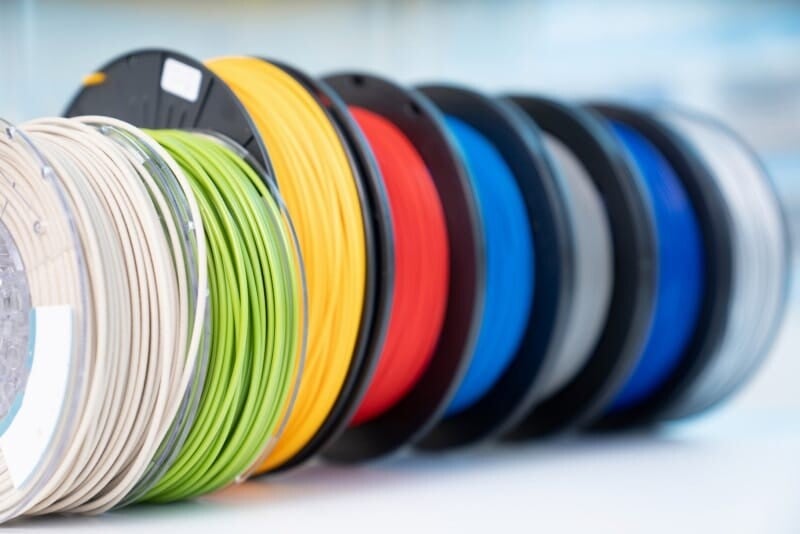
3D printing has made manufacturing more accessible, but it still comes with its own set of challenges. Many print failures are not caused by the printer itself, but by issues related to material behavior. Understanding how 3D printing filament performs can help users identify and fix common problems quickly.
Different materials such as PLA, ABS, and PETG each behave differently during printing. Modern materials like 3D printing filament based on PETG are designed to reduce some of these issues, but no filament is completely problem-free. Knowing how to troubleshoot is essential for consistent results.
1. Stringing and Oozing
Stringing occurs when thin strands of filament are left between different parts of a print. This is especially common with materials like PETG and ABS.
Causes
- High printing temperature
- Incorrect retraction settings
- Excess moisture in filament
How to Fix It
- Lower nozzle temperature slightly
- Increase retraction distance and speed
- Dry filament before use
- Enable travel speed optimization
PETG is more prone to stringing, so fine-tuning settings is especially important.
2. Warping and Bed Adhesion Issues
Warping happens when corners of a print lift off the build plate, leading to deformation.
Causes
- Uneven cooling
- Poor bed adhesion
- Incorrect bed temperature
How to Fix It
- Use a heated bed (especially for ABS and PETG)
- Apply adhesive like glue stick or PEI surface
- Improve bed leveling
- Avoid strong cooling fans on first layers
PLA is less prone to warping, while ABS is the most affected.
3. Clogging in the Nozzle
Clogs can stop extrusion completely or cause inconsistent flow.
Causes
- Dust or debris in filament
- Printing at incorrect temperature
- Burnt material buildup
How to Fix It
- Clean or replace the nozzle
- Use proper temperature settings
- Store filament in a dry environment
- Perform regular maintenance
PETG and PLA are less likely to clog compared to poorly maintained ABS setups.
4. Layer Separation (Poor Adhesion Between Layers)
When layers do not bond properly, prints become weak and may break easily.
Causes
- Low nozzle temperature
- Excessive cooling
- Fast printing speed
How to Fix It
- Increase nozzle temperature slightly
- Reduce cooling fan speed
- Slow down print speed
- Ensure correct extrusion rate
PETG generally has strong layer adhesion, reducing this issue when properly tuned.
5. Moisture Absorption in Filament
Many filaments absorb moisture from the air, especially PETG and nylon. This affects print quality.
Signs of Moist Filament
- Bubbling during printing
- Weak layer bonding
- Rough surface finish
How to Fix It
- Store filament in airtight containers
- Use silica gel packs
- Dry filament using a filament dryer or low-temperature oven
Proper storage significantly improves print consistency.
6. Poor Surface Quality
Surface defects can include rough textures, blobs, or uneven layers.
Causes
- Incorrect temperature settings
- Over-extrusion or under-extrusion
- Poor cooling balance
How to Fix It
- Calibrate extrusion rate
- Adjust print temperature
- Optimize cooling settings
- Clean nozzle regularly
PETG typically produces a glossy finish, but requires careful tuning to avoid imperfections.
7. Brittleness and Weak Prints
Some prints may break easily even if they look fine.
Causes
- Using low-strength materials (like PLA for functional parts)
- Poor layer adhesion
- Incorrect material choice
How to Fix It
- Switch to stronger materials like PETG or ABS
- Increase printing temperature for better bonding
- Ensure proper infill settings
Choosing the right filament for the job is crucial for durability.
Best Practices to Avoid Filament Problems
Preventing issues is easier than fixing failed prints. Follow these general tips:
- Store filament properly in dry conditions
- Calibrate printer regularly
- Use correct temperature settings for each material
- Adjust retraction and cooling based on filament type
- Perform test prints before large projects
Conclusion
Most 3D printing issues are directly related to filament behavior rather than printer faults. Understanding how different materials react during printing helps reduce errors and improve results.
By properly managing settings, storage, and material selection, users can avoid common problems such as stringing, warping, and clogging. With the right approach, 3D printing filament can consistently produce strong, accurate, and high-quality prints across a wide range of applications.