
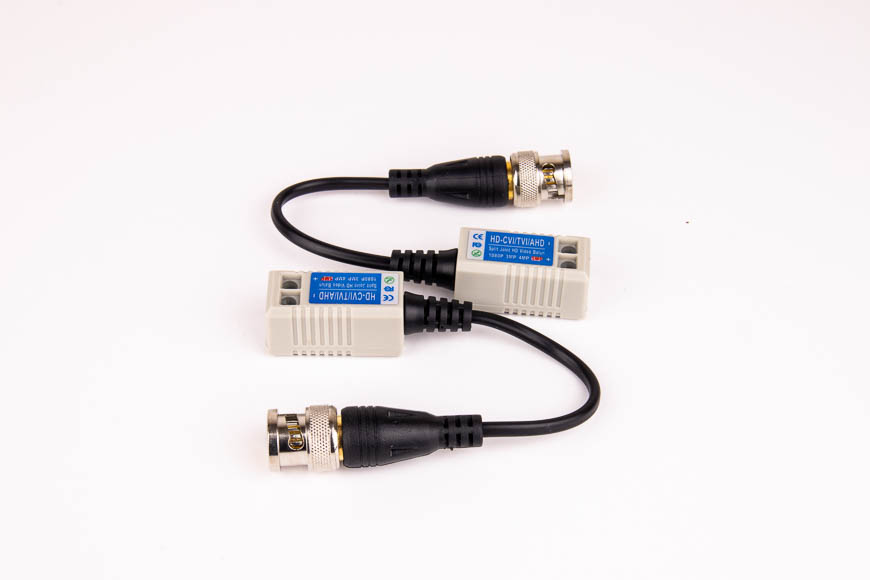
A reliable surveillance system depends on more than cameras and recording devices. The performance of the entire setup is strongly influenced by how well each cable connection is installed and maintained. Even minor mistakes at connection points can lead to signal loss, unstable video, or intermittent power issues.
In CCTV systems, proper installation of cctv cable connectors is essential for ensuring consistent video transmission and stable electrical supply. These small components play a major role in overall system reliability, especially in long-term security deployments.
Why Proper Connector Installation Matters
Cable connectors act as the bridge between cameras, cables, and recording devices. When installed correctly, they ensure smooth signal flow and reduce the risk of system failure.
Proper installation helps:
- Maintain stable video signals
- Prevent power interruptions
- Reduce signal interference
- Extend system lifespan
- Improve overall surveillance performance
Poor installation, on the other hand, can cause flickering video, weak signals, or complete system downtime.
Common Types of CCTV Cable Connectors
Before discussing installation methods, it is important to understand the connectors commonly used in surveillance systems.
BNC Connectors
BNC connectors are widely used in analog and HD-over-coax CCTV systems. They provide a secure twist-lock connection that helps prevent accidental disconnection.
DC Power Connectors
These connectors supply electrical power to CCTV cameras, ensuring continuous operation of the surveillance system.
Coaxial Connectors
Used in various video transmission setups, coaxial connectors help maintain signal integrity over longer cable distances.
Each connector type requires careful handling during installation to ensure optimal performance.
Step-by-Step Installation Methods
Proper installation techniques help ensure long-lasting and stable CCTV system performance.
Step 1: Preparing the Cable
Before attaching any connector, the cable must be properly prepared.
This includes:
- Stripping the outer jacket carefully
- Exposing the correct length of inner conductor
- Avoiding damage to shielding layers
- Ensuring clean and smooth cable ends
Proper preparation is critical for achieving a secure connection.
Step 2: Attaching the Connector
Once the cable is prepared, the connector can be attached.
For BNC connectors:
- Insert the cable into the connector body
- Ensure proper alignment of the inner conductor
- Secure the connector using a crimping tool or locking mechanism
For power connectors:
- Match polarity correctly
- Ensure firm insertion into the terminal
- Avoid loose or partial connections
Step 3: Securing the Connection
After installation, all connectors should be firmly secured.
Loose fittings can result in:
- Signal instability
- Video distortion
- Power fluctuations
A properly secured connector ensures stable long-term performance.
Step 4: Testing the System
Before finalizing installation, the entire system should be tested.
Check for:
- Clear video output
- Stable power supply
- No flickering or interference
- Proper camera functionality
Testing helps identify issues early and prevents future system failures.
Best Practices for CCTV Connector Installation
Following industry best practices ensures long-term reliability and reduces maintenance issues.
Use Proper Installation Tools
Using professional crimping tools ensures accurate and secure connector attachment. Improvised tools may damage the cable or weaken the connection.
Avoid Over-Bending Cables
Sharp bends near connectors can damage internal wiring and reduce signal quality. Cables should be routed smoothly without stress points.
Keep Connections Dry and Protected
For outdoor installations, connectors should be protected from moisture and environmental exposure using waterproof housings or conduits.
Separate Power and Video Lines
Running power and video cables too close together can cause electrical interference. Maintaining proper separation improves signal clarity.
Label All Connections
In larger systems, labeling connectors helps simplify maintenance and troubleshooting.
Common Installation Mistakes to Avoid
Even experienced installers can make mistakes that affect system performance.
Loose Connector Fittings
Improper tightening can lead to intermittent signal loss or unstable video output.
Damaged Cable Shielding
Stripping cables too aggressively can damage shielding and increase interference.
Incorrect Polarity in Power Connectors
Reversing polarity can prevent cameras from working or damage equipment.
Ignoring Environmental Protection
Outdoor connectors without proper protection may fail due to weather exposure.
Environmental Considerations for Installation
CCTV systems operate in a variety of environments, each requiring different installation approaches.
Indoor Installations
Indoor setups typically require less environmental protection but still benefit from neat cable management and secure fittings.
Outdoor Installations
Outdoor environments require weather-resistant connectors and protective enclosures to prevent damage from rain, dust, and sunlight.
Industrial Environments
Factories and warehouses may expose connectors to vibration, heat, or electromagnetic interference, requiring more robust installation practices.
Importance of Regular Maintenance
Even after proper installation, connectors should be checked periodically to ensure continued performance.
Maintenance tasks include:
- Inspecting for loose connections
- Checking for corrosion or wear
- Testing signal stability
- Replacing damaged connectors
Regular maintenance helps extend system lifespan and maintain video quality.
Conclusion
Proper installation of CCTV cable connectors is essential for building a stable and reliable surveillance system. From preparation and attachment to testing and maintenance, each step plays a role in ensuring consistent video and power transmission.
By following best practices and avoiding common installation mistakes, users can significantly improve system performance and reduce long-term maintenance issues. In any security setup, well-installed connectors form the foundation of dependable surveillance operation.