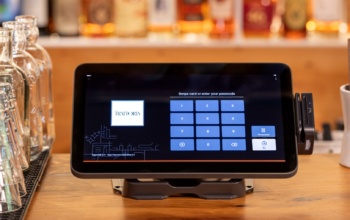
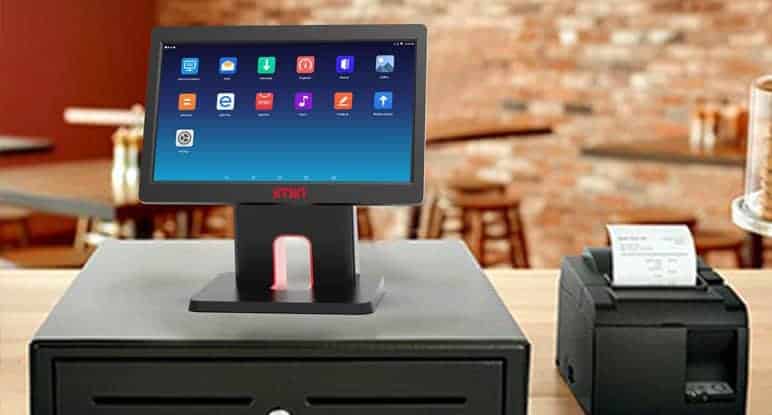
A Desktop POS Machine is an essential tool for businesses, enabling efficient transaction processing, inventory management, and customer service. To ensure smooth and uninterrupted operations, regular maintenance is critical. Proper care and upkeep of a desktop POS system not only extends its lifespan but also reduces downtime and costly repairs. By following best practices for maintenance, businesses can optimize performance and protect their investment.
Regular Cleaning and Physical Care
One of the simplest yet most effective maintenance tips for a desktop POS machine is keeping it clean. Dust, dirt, and food particles can accumulate on touchscreens, keyboards, and peripheral devices, potentially affecting performance. Clean the touchscreen and monitor with a soft, lint-free cloth and mild cleaning solution, avoiding harsh chemicals that may damage the display. Keyboards and cash drawers should be wiped down regularly, and barcode scanners should be checked for dust or residue that may interfere with scanning accuracy. Additionally, ensure that cables and connections are organized and free from tangling to prevent wear or accidental disconnections.
Software Updates and Security Patches
Keeping your desktop POS machine’s software up to date is crucial for maintaining system performance and security. POS software providers frequently release updates that fix bugs, improve functionality, and enhance security measures. Installing these updates promptly ensures that the system operates efficiently and reduces the risk of technical issues. Security patches protect sensitive customer and payment data from potential breaches, which is especially important for businesses that process credit card transactions. A reliable Desktop POS Machine supplier will often provide guidance on updates and may offer automatic update options to simplify the process.
Regular System Backups
Data loss can be catastrophic for businesses, especially when it involves sales records, customer information, or inventory data. Implementing a regular backup schedule for your desktop POS machine is essential. Backups can be stored locally on external drives or on cloud-based platforms, providing an additional layer of security. Regularly verifying that backups are complete and accessible ensures that data can be restored quickly in the event of system failure, minimizing disruptions to business operations.
Hardware Inspections and Preventive Maintenance
Routine inspection of the POS hardware can prevent unexpected breakdowns. Check the condition of peripheral devices such as printers, card readers, and cash drawers. Ensure that thermal printers are free from paper jams and that receipt rolls are loaded correctly. Test card readers and barcode scanners for accuracy and responsiveness. Preventive maintenance may also include updating firmware, tightening loose connections, and checking cooling systems to prevent overheating. Regular hardware checks ensure that the system functions optimally and reduces the likelihood of emergency repairs.
Network and Connectivity Checks
A desktop POS machine relies on stable network connectivity for payment processing, cloud integration, and reporting. Regularly test the network connections and ensure that Ethernet cables, Wi-Fi routers, and switches are functioning properly. For businesses using multiple terminals or remote locations, network monitoring tools can help detect connectivity issues before they impact operations. Maintaining a reliable network connection ensures smooth transaction processing and accurate synchronization of data across systems.
Employee Training and Proper Usage
Proper usage by employees is a critical factor in maintaining the longevity of a desktop POS machine. Staff should be trained on correct operation, including handling touchscreens, inputting transactions accurately, and troubleshooting basic issues. Employees should also be instructed to avoid placing heavy objects on the terminals or applying excessive force to touchscreens. Well-trained staff reduce the risk of accidental damage and minimize user errors that could impact system performance.
Scheduled Professional Maintenance
In addition to routine internal maintenance, businesses should schedule periodic professional servicing of their desktop POS machines. Suppliers and certified technicians can perform comprehensive inspections, diagnose potential issues, and replace worn components. Professional maintenance ensures that both hardware and software operate efficiently and prolongs the lifespan of the system. Many suppliers offer maintenance contracts or service packages that include regular check-ups and emergency support, providing peace of mind for business owners.
Backup Power and Surge Protection
Protecting your desktop POS machine from electrical issues is another important maintenance step. Power surges, voltage fluctuations, and outages can damage sensitive components or corrupt software. Using surge protectors and uninterruptible power supplies (UPS) helps safeguard the system against electrical problems. Backup power solutions also allow the POS system to continue operating temporarily during power interruptions, preventing data loss and ensuring uninterrupted service.
Monitoring System Performance
Regular monitoring of system performance is essential to identify potential issues early. Track transaction speed, software responsiveness, and hardware functionality. Slow processing or repeated errors can indicate underlying problems that require attention. Monitoring tools and diagnostic software can help identify bottlenecks, optimize performance, and prevent minor issues from developing into major disruptions.
Conclusion
Proper maintenance of a desktop POS machine is essential for ensuring smooth operations, reliable performance, and long-term durability. Key maintenance practices include regular cleaning, software updates, data backups, hardware inspections, network checks, employee training, professional servicing, and electrical protection. By implementing these maintenance tips, businesses can minimize downtime, reduce repair costs, and maintain an efficient and secure POS system. Consistent care of the desktop POS machine ensures that it continues to support business operations effectively and contributes to long-term success.